Get into AUT buildings and learning spaces
Some AUT buildings and spaces around campus need access to get in. If you’re studying in labs, studios or workshops, or using some student spaces, you can use your phone for building access.
How building access at AUT works
Your building access:
- Is linked to your programme and timetable
- Only works for spaces you’re approved to use
- Is managed through the Gallagher Mobile App – which means you can use your phone for building access*
This keeps learning spaces secure and makes sure you can access the places you need – without carrying an extra card.
*If you already have a physical swipe card, you can keep using it – or switch to mobile access if you prefer.
Use your phone to access AUT buildings
You can use the Gallagher Mobile App to scan into approved AUT buildings and rooms across its Auckland campuses.
Download the app
The app turns your smartphone into your building pass. But before you can use it, you need to set up your building access.
How to set up building access on your phone
Building access is arranged by your faculty or department based on your enrolment. If you don’t have access to a space you need for your course, contact your department admin team, reception, or manager to request this.
To use the Gallagher Mobile App for building access, follow these steps:
1. Visit the AUT Security office (Monday to Friday, 8am to 4pm)
Go to an AUT Security office if you:
- Want to set up mobile access
- Need help installing or using the app
- Have a physical swipe card and want to switch to mobile access
- Have any issues with your card or mobile access
Security office locations:
- City Campus: WO building
- North Campus: AG building
- South Campus: MF building
2. Provide your details
When you arrive, let the security team know your:
- Name
- AUT email address
- AUT username
They’ll set up your building access. If you currently have a physical swipe card, it will be deactivated.
3. Activate the Gallagher Mobile App
Once your access has been set up:
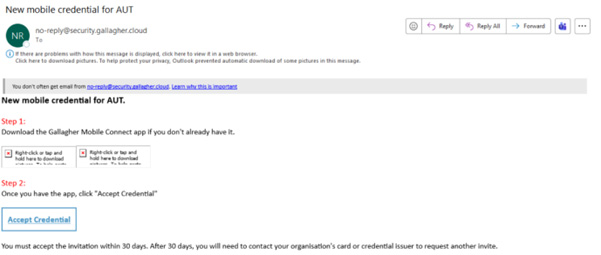
- You’ll receive an email within a few minutes
- Open the email and tap the activation link
- Follow the steps in the Gallagher Mobile App
After activation, your phone will work as your building access pass.
Things students often ask about AUT building access
Do AUT students need a swipe card to access buildings?
No. All student building access is now set up on your phone using the Gallagher Mobile App. Physical swipe cards are no longer issued to students. If you already have a physical access card, switching to the app means your card will be deactivated and replaced by access through your phone. You can only use one access option at a time.
Which AUT buildings and spaces do I need access for?
Some buildings and spaces – including labs, studios, workshops and selected student spaces – require access to enter. Access depends on your course and the spaces you need to use for your study or support needs.
Who decides which spaces I can access?
Your faculty or department assigns access based on your enrolment and timetable. If you need access to a space for your course and don’t have it, contact your department admin team or reception. Some student support spaces also require access. You can request access to these directly through the relevant support team or staff.
Does my building access work after hours or on weekends?
Access hours vary depending on the space and your course requirements. If you’re unsure whether you should have after-hours or weekend access, check with your department.
Does building access change during exams or holidays?
Access may change during exam periods or university holidays, depending on your course and space requirements. For specific access during these times, contact your department.
What if my Gallagher Mobile App activation link expires?
Activation links expire after 7 days. If this happens, visit AUT Security and they’ll issue a new one.
What if I change my phone?
You’ll need to visit AUT Security, so access can be moved to your new device.
What if I can’t get into a space I need?
If you can’t access a space that you already have access to, you can call the AUT Security hotline, and officers will come and assist.
Need help with building access?
If you’re locked out, changing phones or unsure whether you should have access contact: