AUT App and My AUT
The AUT App and My AUT are your go-to tools for managing student life at AUT. From enrolling in classes and checking your timetable to paying fees and finding support, everything you need is in one place.
What can you do with the AUT App and My AUT?
Manage your studies
Stay organised and keep track of your study journey.
- Enrol: Enrol in your courses each semester
- Timetable: View your personalised class timetable
- Exams: Check your exam schedule when it's available
- Grades: View your results as soon as they're released
- Graduation: Apply to graduate when you're ready
- Documents: Upload and manage documents for admissions and course requirements
- Course changes: Request changes to your courses or programme, including withdrawals
Finances and payments
Manage your fees and payments securely.
- Fees and invoices: View invoices and pay your fees online
- AUT Wallet:
- Add funds to your wallet
- Pay at more than 20 AUT locations, including cafés, shuttle buses and for course materials
- Collect rewards on eligible purchases
- Redeem AUT-issued vouchers
- Printing: Top up and check your printing balance
- Financial support: Apply for emergency financial assistance if you need it
Connect and get involved
Stay up to date and make the most of campus life.
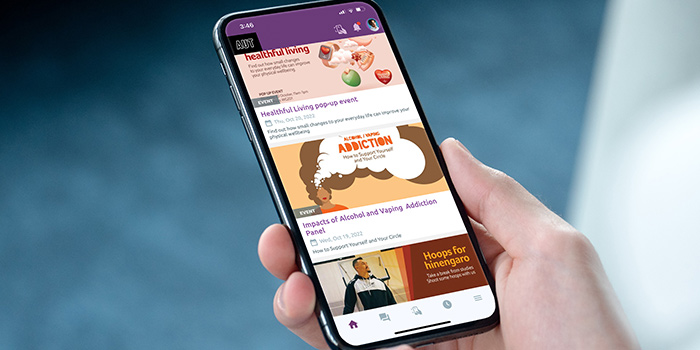
- News and events: Get a personalised feed of AUT news and events
- My schedule: Save events and activities to your personal schedule
- Notifications: Receive important updates and reminders
- Community chat: Connect with other students through community forums
- Student jobs: Search and apply for part-time jobs
- Orientation: Access your Orientation essentials, including a session planner and uni-ready checklist
- Resources: Explore videos and podcasts covering study tips, wellbeing and student life
Navigate campus and access services
Find your way around and access the services you use every day.
- Digital ID card: Access your digital student ID whenever you need it
- Campus maps: Use interactive maps to navigate AUT campuses
- Shuttle bus: View live shuttle bus information
- Computer labs: Check computer availability across campus
- Library: View and renew your library loans
- Bookings:
- Book spaces at Te Āhuru Recreation Centre and check equipment availability
- Make appointments for services, including the Student Hub
- Check-in: Scan QR codes to check in to spaces and events
- Course supplies: Purchase materials for your courses
Health, safety and support
Find support and access important safety information.
- Student Hub: Submit an enquiry or request support from the Student Hub team
- Medical Centre: Enrol with the AUT Medical Centre
- Safety information: Access campus safety information and emergency procedures
- Text alerts: Register for fire alarm text alerts where available
Download the app
To download and use the AUT App, log in with your AUT network login (student username and password).


My AUT
My AUT is the desktop website version of the AUT App.
Your password and how to reset it
Your default password is your day and month of birth in this format (ddmmm) Example: 03aug. You can reset your password if you've forgotten it.
Ideas for the app?
If you're using the AUT App, it’s easier for us to engage with you and support you on your student journey. If you've got a great idea about how we can improve our app – let us know.